Bring a picture to life. Choose a model, describe the movement and prepare your animation.
Motion illustration
Source image
0.0 / 5s
Source image
Prompt idea
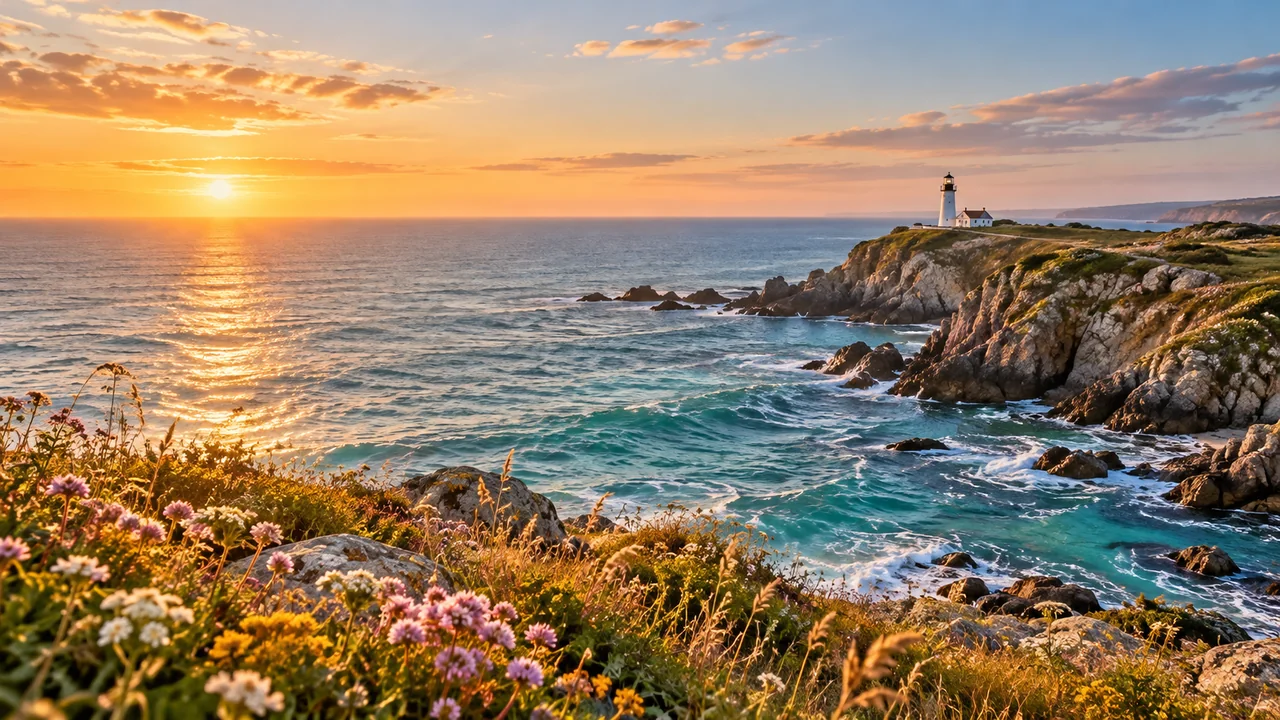
A slow, gentle camera push toward the lighthouse at sunset. Keep the horizon level, preserve the cliffs and flowers, and let small waves roll toward the shore.
AI-created source image with a simple camera-motion demo. Subject movement and generated video are not shown.
One picture. A direction for movement.
Explore original scenes and camera-movement studies. These previews pan or zoom an AI-generated still image; they illustrate a motion idea rather than a generated video result.
Source image
0.0 / 5s
Coastal light
A landscape with a clear foreground and distant landmark gives a slow camera move a natural focal point. Keep the horizon level and leave space around the lighthouse.
Prompt idea
A slow, gentle camera push toward the lighthouse at sunset. Keep the horizon level, preserve the cliffs and flowers, and let small waves roll toward the shore.
Source image
0.0 / 5s
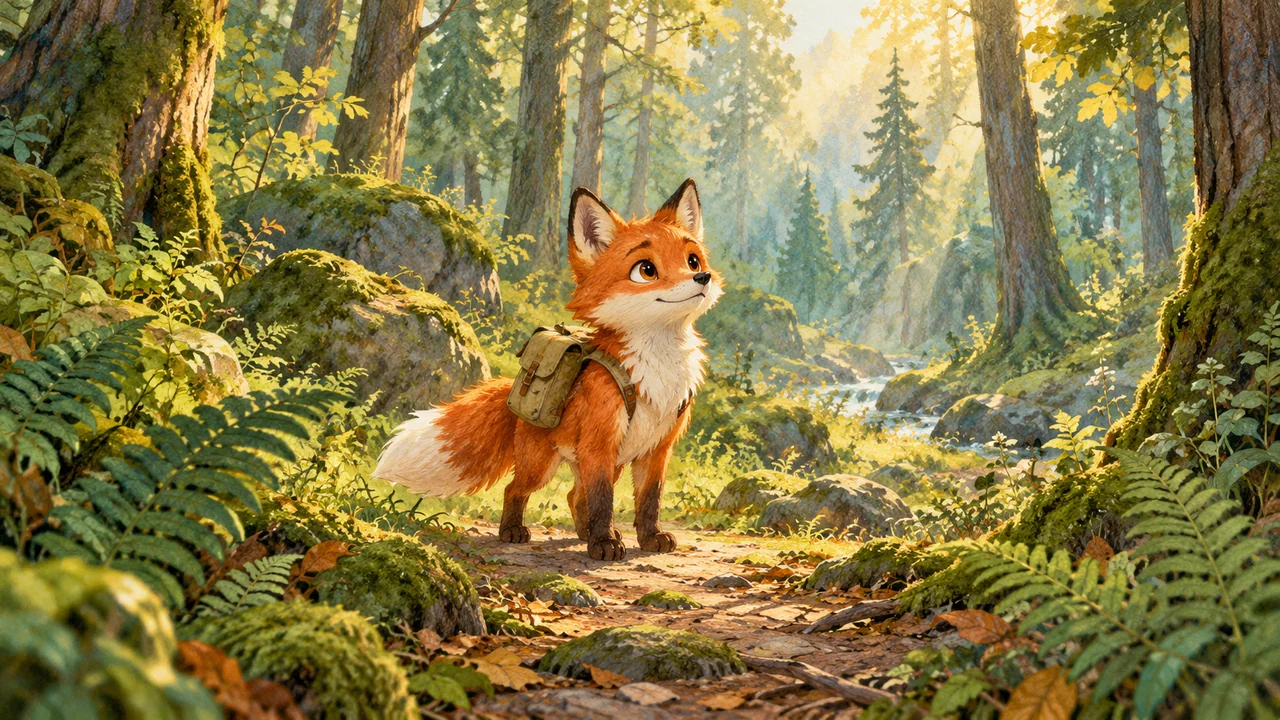
A forest story
For an illustrated character, start with a small expression or gesture. Leave room around ears, feet and the tail so the intended movement fits the composition.
Prompt idea
The little fox looks up with a curious expression as soft light filters through the leaves. A gentle camera push-in; preserve the face, backpack and hand-painted illustration style.
AI-created source image with a simple camera-motion demo. Subject movement and generated video are not shown.
IMAGE TO ANIMATION AI
What is image to animation AI?
Image to animation AI uses a still picture as a visual starting point and a motion description to guide a new sequence. The image provides the subject and composition; the prompt describes an action, a camera move or a change in the scene. It can be used to plan a moving portrait, a product shot or a short landscape clip.
Upload an image, describe the motion and generate up to four videos at once. Credits are charged per video and returned for any video that fails.
How to animate a picture with AI
Prepare one clear image, one readable motion idea and a short shot you can evaluate.
01
Choose a clear starting image
Add a JPG, PNG or WebP image up to 20 MB. Check the face, hands, product outline and crop before planning movement.
02
Describe what should move
Name one subject action and, if needed, one camera move. For example: a slow push-in while the subject gently turns toward the window. Start with a small movement that fits the picture.
03
Review the planned shot
Choose a duration, resolution and number of videos, then generate. Inspect the whole clip for changing faces, flicker and unexpected cuts before publishing.
Moving photo, AI video or Live Photo?
These terms describe different ways to add or store motion. Choose the approach that matches what you actually need.
Approach
What moves
When it helps
AI image to video
New frames guided by an image and prompt
Explore subject or environmental motion that was not recorded. Review invented detail and consistency.
Pan or zoom animation
The view moves across one still image
Present a photo with deliberate framing and timing. This is the type of motion shown in the examples above.
Live Photo or animated GIF
Recorded moments or a sequence of image frames
A Live Photo contains captured motion around the shutter press. GIF is an animation format; changing a file extension does not invent motion.
This tool creates an MP4 video. It does not create a Live Photo or GIF.
Make the movement fit the photograph
A restrained shot is often easier to judge. Decide which details need to stay recognizable and check them throughout a future result.
Keep important details visible
Start from a picture with a readable subject. Blurry faces, cropped hands and tiny lettering leave less reliable information for a model to work with.
Ask for one coherent action
A gentle head turn or a slow camera push is easier to assess than several actions in one short shot. A prompt expresses your intention; it does not guarantee exact movement.
Watch the entire sequence
Compare the opening, middle and end. Look for changes in identity, product geometry, text and lighting. A good-looking still frame cannot establish consistency across a video.
Image to animation AI questions
Answers to common questions about animating a photo, writing a motion prompt and choosing an output.
How do I animate a picture or photo?
Start with a clear image and decide what should move. A pan or zoom adds camera movement to the existing picture; AI image-to-video generation creates new frames from a motion prompt. Here you upload the picture, describe the movement and generate an MP4.
How does image to video AI work?
A generative model uses the starting picture as visual context and a text prompt as motion guidance to produce a sequence of frames. The sequence is an interpretation of the request. It does not recover events that happened before or after the original photograph.
Can I animate a picture for free here?
Browsing the examples and previewing your image is free. Generating a video uses credits: the amount is shown before you start and depends on the model, duration, resolution and number of videos. Credits for a video that fails are returned.
Which pictures can I use?
The workspace accepts JPG, PNG and WebP files up to 20 MB. Use a sharp, well-composed photo or illustration with enough space around the subject for the movement you want. A larger requested resolution cannot guarantee restoration of missing source detail.
What should I write in an image animation prompt?
Describe the visible action and its speed, then add a camera direction if it matters. For example: the leaves sway gently while the camera slowly moves closer. Begin with one motion idea, review the result in a connected workflow and change one part at a time.
How can I reduce strange faces, flicker or warped details?
Use a clean starting image, keep the first movement modest and check the full sequence. Faces, hands, lettering and repeated patterns deserve particular attention. Simpler prompts can make iteration easier, but no prompt can guarantee that every detail remains unchanged.
Is an animated picture the same as an iPhone Live Photo or a GIF?
No. A Live Photo records movement around the moment you take the picture. A GIF stores a sequence of images for animation. AI animation generates new frames from a still image; it does not recreate the original captured motion or automatically produce either file format.
Can I choose the video length, resolution and sound?
Yes. Choose a model, then its available duration and resolution, the number of videos (up to four) and whether to generate audio. The credit cost updates as you change these settings.
THE PHOTO ANIMATION GUIDE
How to animate a picture without losing the idea
Choose between a camera move and generated motion, write a focused prompt, and review the details that make the picture recognizable.

 Source image